Custom AI Agents for Business, Built on Your Stack
Custom AI agents for business, built on your stack and grounded in your data, with tools, memory, and guardrails to run in production. Not chatbots that only answer questions: real agents that read the right data, decide what to do, and complete the task across your CRM, ticketing, project, and billing systems.
The defining distinction
An Agent Does the Work. A Chatbot Just Answers.
A CHATBOT ANSWERS QUESTIONS
A scripted assistant responds to messages. It can summarize, classify, or draft text when you ask, but it sits in a chat window and waits. It has no memory of what it did yesterday and no way to reach into your systems and finish a task. Useful, but it does not move work forward on its own.
AN AGENT TAKES ACTION ACROSS YOUR SYSTEMS
The custom AI agents we build read the right data, decide what to do, and complete the task, with memory of what happened and guardrails on what they are allowed to touch. That is the difference between a scripted assistant and a custom AI agent that actually moves work forward across your CRM, ticketing, and billing tools.
Why most AI pilots stall at "it can answer questions"
An agent with a real production architecture
What Our AI Agents Actually Do
Not Q&A. Real actions that move work through your operations.
-

Draft proposals from intake to CRM
Agent reads the discovery notes, pulls pricing from your rate card, generates a draft proposal in your template, and stages it in HubSpot or Salesforce for review. The salesperson reviews and sends - they don't write from scratch. A composite engineering services firm cut RFP response prep from 14 hours to under 2 with this exact pattern. Pairs with our sales automation module.
-

Triage and draft replies to support tickets
Agent reads inbound Zendesk or Intercom tickets, classifies them by intent and urgency, pulls relevant SOPs and prior tickets from the knowledge base, and drafts a reply for an agent to send. Easy tickets clear in seconds. Hard ones land in front of a human with full context. See our customer support automation pillar for the broader pattern.
-
Qualify inbound leads and route to reps
Agent enriches the lead with firmographic data, scores against your ICP, asks qualifying questions over email or chat, and either books a meeting with the right rep or sends to nurture. Reps stop chasing tire-kickers.
-

Generate weekly reports from your stack
Agent pulls from HubSpot, QuickBooks, ClickUp, and Hubstaff every Monday morning, summarizes by team and project, flags anomalies, and posts the report in Slack. No more Friday-afternoon Excel days.
-

Summarize calls and update the CRM
Agent ingests the Fathom or Gong recording, extracts decisions and next steps, updates the deal record in your CRM, and creates tasks for owners. The note-taking work disappears.
-
Run weekly QBR prep automatically
Agent assembles the QBR deck for each account: usage data, support trends, expansion signals, churn risk indicators, recent feedback. The CSM walks in with a complete picture instead of building one.
-

Monitor SLAs and escalate before breach
Agent watches ticket queues, project deadlines, and AR aging in real time. When a metric crosses a threshold, it pages the right owner with full context - and drafts the escalation message. SLAs stop breaching silently.
-
Pull and summarize internal data on demand
"What's the margin on the Acme project as of today?" Agent queries the source systems, runs the calculation, and answers in Slack with a citation back to the data. Ad-hoc reporting questions stop landing on the analyst's desk.
How an Agent Is Different from a Workflow
-
DETERMINISTIC WORKFLOW (ZAPIER-STYLE)
A fixed sequence of steps with no judgment. "When X happens, do Y, then Z." Wins on high-frequency, low-variance work - invoice generation, calendar invites, data sync. Doesn't bend when the input changes shape. -
WORKFLOW WITH AN AI STEP
A deterministic workflow that calls an LLM somewhere in the middle - usually to summarize, classify, or draft. The model is a function call, not an actor. This is what most "AI automation" actually is, and it's a real upgrade over pure determinism. -
AGENT WITH TOOLS, MEMORY, AND JUDGMENT
The LLM is the orchestrator, not a step. It decides which tool to call next based on what it sees, holds context across turns, and adapts when the situation changes. Wins on judgment-heavy, multi-step work where the right answer depends on context - ticket triage, proposal drafting, account research.
The Agent Architecture, in Plain English
Five layers that turn an LLM into something you can put in front of customers and revenue.
- 1
Step 1. Define the action surface
Before any code runs, we map exactly what the agent is allowed to do and what it is not. Read a HubSpot contact? Yes. Update a deal stage? Only after human review. Send an email on behalf of a person? Only to internal addresses, only with approval. The action surface is the spec - and the audit trail.
- 2
Step 2. Wire the tools
Each sanctioned action becomes a tool the agent can call: get_contact, draft_proposal, create_ticket, summarize_meeting. Tools are deterministic code - the agent decides when to call them; the tool decides how. We build the tools in n8n, LangChain, or whatever your stack already speaks.
- 3
Step 3. Set the guardrails
Explicit rules the agent cannot break: max characters in customer-facing output, banned actions outside business hours, mandatory human approval for anything that touches money. Plus structured-output validation so the agent can't return malformed data that breaks downstream systems.
- 4
Step 4. Ground in your data
An agent without your data is a generic chatbot. We connect it to your SOPs, your past tickets, your CRM history, your project archive - through retrieval, not training. The agent answers from your reality, with citations back to source documents. Pairs with our Internal AI Knowledge Base.
- 5
Step 5. Monitor and correct
Every production action is logged with input, output, and decision rationale. We run automated evals on a sample of outputs every day. When the model drifts, when a customer flags an output, when an action category starts failing - we see it, fix the prompt or the tool, and ship the patch.
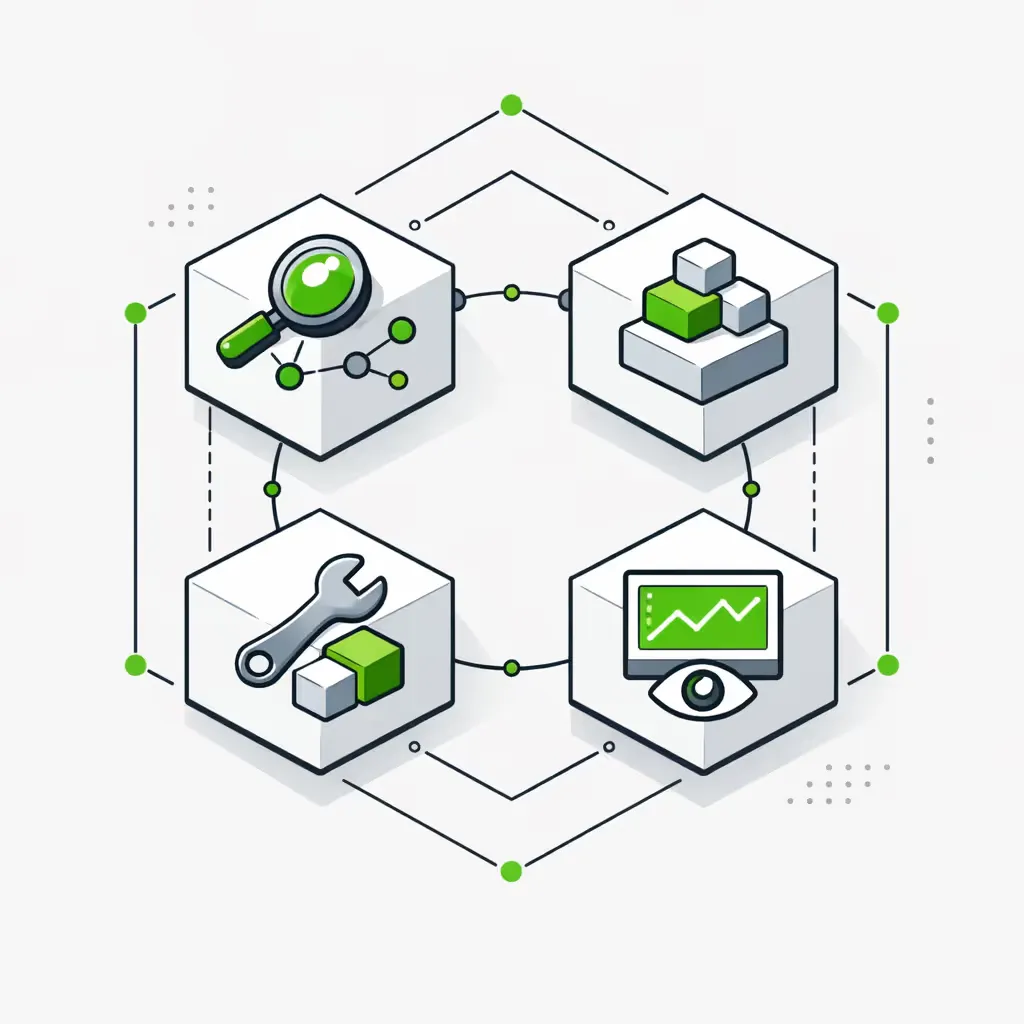
How we build
How We Build a Custom AI Agent
Design to integration to testing and monitoring. An agent is a living part of your operations, not a one-time deploy.
- 1
Step 1. Design
We define the agent's job, its boundaries, the data it can read, and the success metric, before any build. The spec is the boundary: what the agent is allowed to do, and what it is not.
- 2
Step 2. Integration
We connect it to your systems with tool calling, ground it in your data with retrieval, and choose the model (Claude, GPT, or a self-hosted model for sensitive content) to fit the task. The agent works inside the systems you already use. Pairs with our permission-aware AI knowledge base.
- 3
Step 3. Testing and monitoring
We test against real cases, add guardrails and human review where the stakes are high, then monitor in production and refine. When the model drifts or an output gets flagged, we see it and ship the correction. See the full AI agent development approach.
Governance and guardrails
The Risk Is Not a Bad Answer. It Is Too Much Access.
Permission-aware and narrow
We build every agent permission-aware and narrow: it can see and do only what its job requires. No standing access to systems it does not need, no authority beyond its defined action surface. This is the same governance behind our permission-aware AI knowledge base.
Human approval on high-stakes actions
Anything that touches money, customer-facing communication, or compliance goes through human approval. Low-confidence decisions escalate to a person instead of guessing. The agent drafts and stages; a human signs off.
Logged and monitored in production
Every action is logged and monitored, with input, output, and decision rationale. That is what "production-grade" means, and it is why our agents run in real operations rather than demos.
Proven in production




The Same Systems Behind Real Results
These are the same governed systems behind real client results. FirePlan Strategies eliminated 230 hours of manual work per month, and Contrail Financial runs audit-ready finance work on 2V builds. Certified n8n Expert Partner, 5.0 from 7 reviews, Clutch Champion and Clutch Global, Spring 2024. See agents in production.
"As a founder I was personally spending 360 hours a year just on client communication and finance ops. 2V automated the entire thing. That time is mine again."

How it worked for Georgia State University
 Education, visitor experience
 A chatbot that answers visitor questions at Georgia Aquarium
A RAG assistant with the aquarium's knowledge, built for Georgia State University and piloted on the floor
- Repeat questions, off the floorAnswered by the chatbot wherever the visitor stands
- 5.0Clutch rating for quality, schedule and cost
- On timeDelivered on the agreed schedule
"They managed the project professionally, delivered on time, and responded quickly."
Where We Draw the Line (And Where We Don't)
-
Agents win on judgment-heavy, multi-step actions
Ticket triage, proposal drafting, account research, weekly summaries. The work where the right answer depends on context the agent has to assemble across multiple tools - that's the agent's home turf.
-
Agents win on cross-tool actions that don't fit one workflow
"Look at the CRM, the support history, and the project archive. Decide if this is an expansion opportunity or a churn risk. Recommend a next step." That's not a Zapier flow. That's an agent.
-
Agents win when the input shape varies
Inbound emails, RFPs, screenshots, free-text bug reports - anything that arrives in a different shape every time. Deterministic workflows break on this. Agents handle it because the model normalizes the input before the workflow logic runs.
-
Deterministic workflows still win on high-frequency, low-variance work
Invoice generation, calendar invites, data syncs, daily backups, status notifications. If the work runs ten thousand times a day and the input is always the same shape, an agent is overkill and adds latency. Use a workflow. We'll tell you when this applies - see AI automation vs traditional RPA.
-
Agents fail honestly on adversarial inputs
If a user tries to jailbreak the agent into doing something outside its action surface, the guardrails should catch it. We test for this before launch. But anyone selling you an "unhackable" AI agent is lying - we design for graceful failure, not invincibility.
The Custom AI Agent Module
How the agent fits into the broader automation layer we install.
Custom AI Agent Module
The production architecture we install for every agent engagement:
Tool Library
A versioned, tested set of tools the agent can call - get_contact, update_deal, create_ticket, draft_email, query_warehouse. Each tool has explicit input validation, error handling, and audit logging. Adding a new capability is a code change, not a prompt change.
Memory Layer
Persistent context across sessions, projects, and accounts. Built on Postgres, Redis, or a managed memory store depending on volume. The agent remembers prior decisions, prior corrections, and prior outputs - without retraining the model.
Guardrails
Hard constraints on agent behavior - banned actions, output validation, human-approval gates, business-hours rules, rate limits. Implemented as code, not as prompt instructions, because prompt instructions break.
Monitoring
Every production action logged with input, output, model used, and tool calls made. Daily eval runs against a frozen test set so we see drift before customers do. Alerting on failure rate, latency, and cost.
Hand-off to Humans
Explicit escalation paths for anything outside the agent's confidence threshold or action surface. The agent drafts the hand-off message, includes the context, and stages it for a human. No silent failures, no "the AI handled it" black holes.
Knowledge Base Integration
An agent without access to your data is a generic chatbot. We connect every agent to your Internal AI Knowledge Base - your SOPs, past tickets, contracts, project archives - through retrieval, with citations on every output. The agent's answers come from your reality, not a public model's guess.
Cross-Stack Action Layer
Most agents need to read from one tool and write to another - pull from HubSpot, push to QuickBooks, log to Slack, file in Egnyte. We build the cross-stack action layer on n8n or a similar orchestrator so the agent's tool calls become real production actions, not API experiments.
The Stack We Build Custom AI Agents On
Tool choice depends on your stack, your scale, and your data-residency requirements. These are the components we reach for first.
Production agentslive across CRM, support, and finance workflows
LLMs
ORCHESTRATION
VECTOR / MEMORY
SURFACE
MONITORING & EVAL
ACTION CONNECTORS
How We Engage on Custom AI Agents
Every agent engagement starts with a scoped workshop: which action surface, which data sources, which guardrails. Most builds take three to six weeks from kickoff to a live agent in production. Further work is optional and priced per project, in the order the roadmap sequenced.
Automation Discovery Week
Builds
Ongoing
Custom AI Agent FAQs
The questions we get from ops leaders evaluating a custom agent build.
What's an "AI agent" vs a workflow with an AI step?
A workflow with an AI step is a fixed sequence of nodes where one node happens to call an LLM - usually to summarize, classify, or draft text. The model is a function. An agent is the inverse: the LLM is the orchestrator, deciding which tool to call next based on what it sees. Most "AI automation" you read about is the first thing. Agents are the second. We build both and tell you which fits your problem.
How do you stop an agent from doing something stupid?
Three layers. First, the action surface is explicit - the agent only has access to tools we sanctioned. It cannot call APIs we didn't give it. Second, structured-output validation rejects malformed responses before any downstream system sees them. Third, hard rules in code (not in the prompt) gate anything that touches money, customer-facing communication, or compliance. Prompt instructions break under adversarial input. Code rules don't.
Can it write to our CRM or send emails on our behalf?
Yes - if you sanction it. Most clients start with read-only access for the first two weeks while we tune the prompts and run evals. Then we enable write actions in a controlled scope (drafts only, or drafts plus internal-recipient sending, or full external sending depending on the use case). Every write action is logged with the input that triggered it.
Where does it fail, honestly?
Three places. (1) Inputs we didn't anticipate - a new customer-segment, a new product line, a new tool in the stack. (2) Model drift - provider updates can shift outputs in ways our evals catch quickly but not instantly. (3) Edge cases in long-tail data, where the agent's retrieval misses or the source documents conflict. We monitor for all three and ship corrections in days, not weeks.
Do we need our knowledge base built first?
It helps but isn't strictly required. Agents that take actions across your stack (CRM, billing, project) need tools but not necessarily retrieval. Agents that answer judgment questions ("is this lead worth chasing?", "what's the right next step?") work much better with a grounded knowledge base. We sequence both in the roadmap - see Internal AI Knowledge Base for the paired build.
How is this priced vs ChatGPT Enterprise?
ChatGPT Enterprise is a per-seat license for general chat with shared admin controls. It doesn't know your data, doesn't take actions in your stack, and doesn't survive a model swap. A custom agent is priced per project. Most builds take three to six weeks and land between $6,000 and $24,000. The two solve different problems. Most clients run both. See our AI automation guide for how agents fit in the broader stack.
Can we run it on Claude, GPT, or open-source models?
Yes. We build the agent against a model interface, not a specific vendor. Swapping Claude for GPT-5, or moving an internal-only agent to a self-hosted open-source model on your own GPUs, is a config change plus a re-run of the eval suite. We do this regularly for clients with data-residency requirements. See how we use Flowise to build AI agents for one orchestration approach we use in practice.
What happens when the model changes underneath us?
This is the question most teams forget to ask. Models change. Every couple of months an OpenAI or Anthropic update shifts outputs in ways your prompts didn't predict. We run a daily eval against a frozen test set so we detect drift within 24 hours. When it happens, we tune the prompt or pin to a specific model version until we've validated the new one. You don't find out from a customer.
What is a custom AI agent?
An AI system built for a specific job in your business, grounded in your data and connected to your systems, that takes action rather than just answering questions.
How is an agent different from a chatbot?
A chatbot responds to messages. An agent reads data, makes decisions, and completes tasks across your tools, with memory and guardrails.
Do you build it on our data and systems?
Yes. We ground each agent in your documents and connect it to your stack with tool calling, so it works inside the systems you already use.
How do you keep agents safe to run?
We build them permission-aware and narrow, route high-stakes actions through human approval, and monitor every action. Low-confidence decisions escalate to a person.
Which AI models do you use?
We use Claude, GPT, or a self-hosted model for sensitive content, chosen to fit the task and your data requirements.
Do we own the agent?
Yes. We document it and hand it off, and we maintain and extend it as a retained partner if you want.
Will it leak our data to OpenAI or Anthropic?
Both providers offer enterprise terms that explicitly exclude API traffic from training. We default to those, and for sensitive workloads we route through your own provider account or self-host an open-source model on infrastructure you control. The retrieval layer that grounds the model in your data stays in your stack - Postgres, Pinecone, or pgvector running on your cloud. No customer data sits in a third-party training set.
How do we stop hallucinations in front of customers?
Two layers. (1) Retrieval-grounded answers - the model only answers from your sourced documents, with citations. (2) Confidence thresholds - below a set score, the agent hands off to a human instead of guessing. Hallucinations are a design failure, not a model failure.
Can it integrate with Intercom, Zendesk, or our existing helpdesk?
Yes. The agent deploys as a layer on top of your existing helpdesk - answering tickets in Zendesk, drafting replies in Intercom, triaging in Front. We integrate via native APIs, not iframes, so the agent has full context of the customer history and can update ticket properties the way a support rep would.
See where a custom AI agent would pay back first
The Automation Discovery Week maps your current workflows, surfaces the highest-judgment, highest-friction processes in your operations, and tells you whether an agent or a deterministic workflow is the right tool - before you spend a dollar. Run the numbers first with our ROI calculator, then talk to us. Ten minutes to fill out, real recommendations either way.