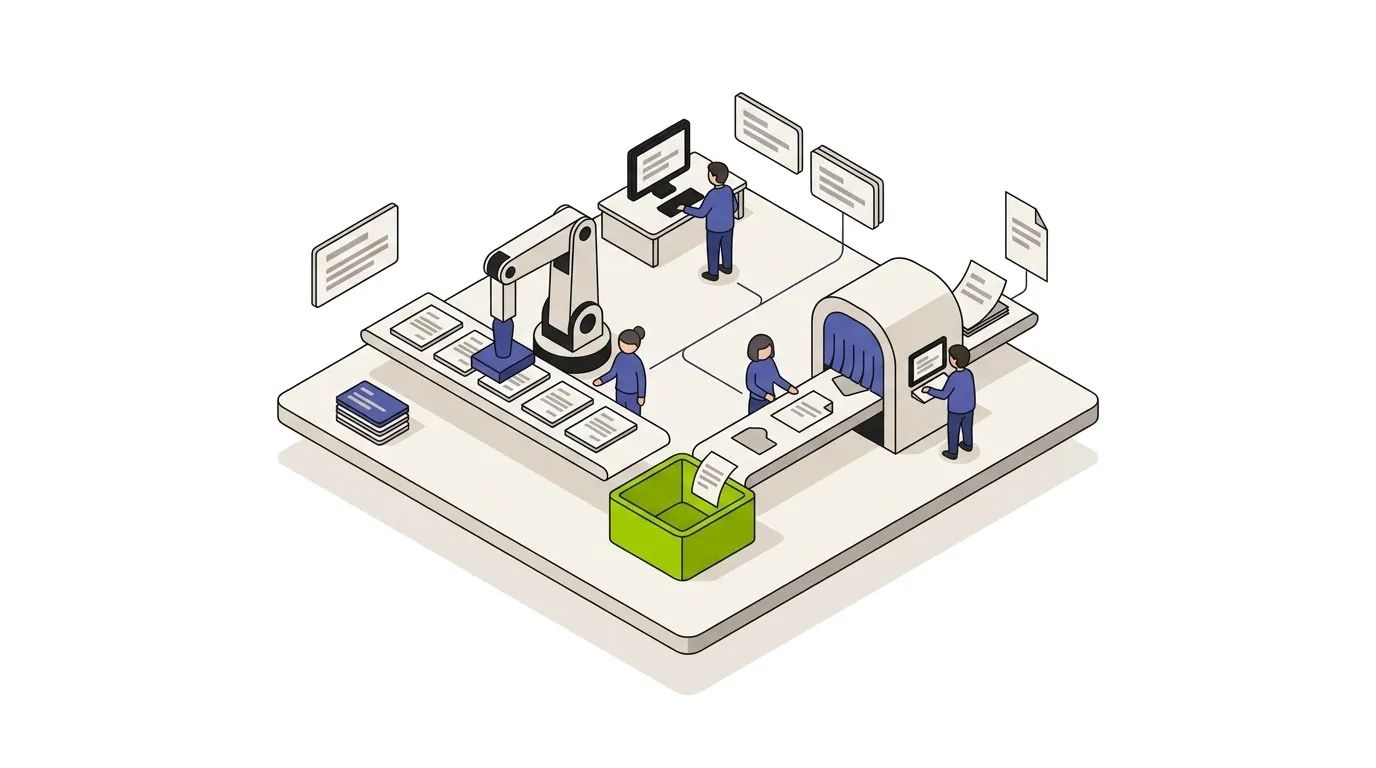
The honest difference between AI automation and RPA is this: RPA does the same thing the same way every time, fast and cheap, on inputs that are structured. AI automation handles fuzzy inputs, generates new content, and makes context-aware decisions, but it’s more expensive per run and needs guardrails. The right answer in 2026 is usually both - RPA for the structured parts, AI for the judgment parts, orchestrated together.
This post is the buyer’s-side breakdown: what each technology actually is, where they win, where they overlap, and how to decide which to use (or how to combine them) for your process.
The 60-second summary
| Dimension | RPA | AI Automation |
|---|
| Core capability | Mimics human actions on UIs and APIs | Understands, generates, classifies, decides |
| Best inputs | Structured, predictable, consistent | Unstructured, variable, fuzzy |
| Speed per run | Fast (sub-second to seconds) | Slower (often seconds to tens of seconds per AI step) |
| Cost per run | Low (~cents) | Higher (AI model inference cost - cents to dollars) |
| Error tolerance | Brittle - UI changes break it | Probabilistic - needs review for high-stakes outputs |
| Best for | Legacy systems with no API, repetitive data entry | Document understanding, content generation, classification, agentic work |
| Wrong fit for | Anything requiring judgment or generation | Highly deterministic, structured, high-volume data movement |
Use RPA when you have a repetitive process on inputs that don’t change shape, especially involving legacy systems without APIs.
Use AI automation when the inputs are unstructured (free text, documents, images), require classification or extraction, or need generative work (drafting, summarizing, ranking).
Use both when your process has structured and unstructured steps - which most real business processes do.
What is RPA, really
RPA - Robotic Process Automation - emerged in the early 2010s with platforms like UiPath, Blue Prism, and Automation Anywhere. The pitch was straightforward: business processes spent enormous time on repetitive data movement between systems that didn’t talk to each other, often through screens humans clicked. Why not automate the clicks?
RPA bots do exactly that. They:
- Click through UIs of business applications (often legacy desktop apps and web apps without APIs)
- Copy data between systems following deterministic rules
- Execute keystroke and mouse-based macros that mimic what a human would do
- Run on a schedule or trigger like any automation
- Scale by spawning more bots on more virtual machines
The defining trait: RPA is rule-based and deterministic. The bot does exactly what you programmed it to do, every time, on inputs that look the same as the ones you trained it on.
The strengths: fast, cheap per run, predictable, good for legacy-system automation where no API exists. RPA shines in financial services, insurance, healthcare, and any back-office where mainframes and packaged software dominate.
The weaknesses: brittle. The moment a button moves on a UI, the bot breaks. Pop-up windows, browser updates, layout changes - all break RPA scripts. Maintenance costs are real and ongoing. RPA also can’t handle anything fuzzy: variable document layouts, unstructured text, judgment calls, generated outputs.
What is AI automation, really
AI automation uses machine learning models - overwhelmingly large language models in 2026, plus computer vision and specialized models - to do work that requires understanding rather than following deterministic rules.
The capabilities AI automation provides that RPA does not:
- Document understanding. Extracting structured data from invoices, contracts, emails, and forms - even when the layout varies.
- Classification. “Is this support ticket about billing, product, or shipping?” with messy real-world inputs.
- Generation. Drafting emails, summaries, reports, code, marketing content.
- Question answering. RAG systems that answer questions from a knowledge base.
- Multi-step reasoning. Agents that decide what to do next based on context.
- Code generation and execution. Writing and running code as part of a workflow.
For the broader breakdown, see what is AI automation and our AI automation guide.
The defining trait: AI automation is probabilistic. The same input may not produce identical outputs - models have temperature, context windows shift, and minor input variations can shift outputs. This is a strength (handles variability gracefully) and a weakness (needs guardrails and review for high-stakes work).
The strengths: handles unstructured inputs, generates novel content, makes context-aware decisions, integrates with anything via API.
The weaknesses: more expensive per run than RPA (model inference cost), slower per step, can hallucinate, requires human review for high-stakes outputs, and depends on third-party model providers (or self-hosted models, which take more ops capacity).
Where RPA wins (being fair)
Despite the AI narrative dominance, RPA is still the right answer for plenty of work in 2026.
- Legacy systems without APIs. Mainframes, packaged ERP modules, old SAP screens, custom desktop apps - anywhere the only programmatic interface is the UI. RPA is built for this.
- High-volume deterministic data movement. Moving thousands of records between two systems with the same shape every time. RPA does this fast and cheap.
- Regulated processes with audit-trail requirements. RPA’s deterministic nature makes audit trails clean - you know exactly what the bot did and why.
- Cost-sensitive volume. At extreme scale (millions of structured transactions/day), RPA can be cheaper per-run than AI model inference.
- Processes where reproducibility is critical. Financial close, regulatory reporting - any process where “did it do the same thing it did last month?” matters.
If your work fits one of these shapes, RPA is the right tool.
Where AI automation wins
The flip side, where RPA can’t compete.
- Unstructured inputs. Free-text emails, variable-layout documents, customer messages, voice transcripts. AI handles variability natively; RPA needs every shape pre-programmed.
- Generative work. Writing, drafting, summarizing, translating, classifying with explanations. RPA cannot generate; AI can.
- Judgment calls. “Which of these support tickets is urgent?” “What category does this invoice belong to?” “Is this lead worth pursuing?” - pattern recognition and decision-making on messy data.
- Multi-step reasoning. Agents that chain steps based on context and intermediate results.
- Cross-system orchestration with API-first systems. When everything has APIs, you don’t need RPA’s UI-clicking - you need workflow logic, which AI-augmented workflow tools handle better.
- Anything with a ‘long tail’ of cases. RPA needs every case pre-programmed. AI handles the 30% of edge cases that don’t fit any pre-programmed rule.
In most modern business contexts - SaaS-heavy stacks, API-first architectures, customer-facing work, knowledge work - AI automation covers more ground than RPA does.
Where they overlap (and where the marketing gets fuzzy)
The traditional RPA vendors - UiPath, Automation Anywhere, Blue Prism - have all added AI capabilities. The traditional AI workflow tools - n8n, Make, Zapier, Power Automate, custom systems - have all added some UI-automation capabilities.
The honest assessment: the convergence is real but uneven.
RPA platforms add AI like this:
- Document AI/OCR for invoice and form processing
- Process mining to identify automation candidates
- AI agents for decision-making within an RPA flow
- LLM-based chat layers for triggering bots conversationally
What they’re still primarily good at: UI clicking, structured workflows, regulated enterprise environments.
AI-first workflow platforms add UI automation like this:
- Browser automation nodes (Playwright, Puppeteer) for sites without APIs
- Desktop automation through partnerships (less common)
- Screen-scraping nodes
What they’re still primarily good at: API-driven workflows, AI-heavy logic, code-first patterns.
In 2026, the line between “RPA platform” and “AI automation platform” is genuinely blurry at the marketing layer. At the implementation layer, vendors still skew strongly toward one side of the line. Pick by where the core capability lives, not by the marketing.
When to use RPA, when to use AI, when to use both
Choosing between them is a sequencing question before it is a technology question, and it is the first thing an AI automation consultant should settle for you.
A simple decision tree.
Use RPA alone when:
- The process is fully deterministic and inputs are structured
- The systems involved have no APIs (legacy desktop or web apps)
- High volume and cost-per-run matters more than handling edge cases
- Auditability and reproducibility are critical
Use AI automation alone when:
- The inputs are unstructured (text, documents, images, audio)
- The work requires classification, extraction, generation, or judgment
- The systems involved have APIs (most modern SaaS stacks)
- You need to handle a long tail of cases
Use both (the most common modern pattern) when:
- Your process has structured and unstructured steps
- You need AI for understanding/classification/generation and RPA for legacy-system data movement
- You’re modernizing existing RPA workflows by adding intelligence to their decision points
- You’re handling end-to-end processes that touch both modern APIs and legacy UIs
A concrete example: invoice processing in a mid-sized company with a legacy ERP.
- Inbound email or PDF arrives → AI extracts vendor, amount, line items, PO reference (handles variable formats)
- Validation against PO and vendor master → traditional workflow logic (lookups, checks)
- Approval routing → workflow logic + AI classification of who should approve based on category and amount
- Posting to the ERP → if the ERP has a modern API, workflow logic posts directly; if it’s a legacy screens-only system, RPA clicks through to post the entry
- Exception handling → AI summarizes the issue for the AP clerk, who reviews
That’s a typical hybrid: AI for the fuzzy front-end work, workflow logic for the rule-based middle, RPA only for the legacy system at the back.
Cost comparison: per-run economics
The cost framework is different for each technology.
RPA cost per run: dominated by the cost of the bot license (or per-bot-hour pricing) and the infrastructure it runs on. Typical fully-loaded cost per run: cents - sometimes fractions of a cent at scale. Once a bot is licensed and deployed, marginal cost per run is near-zero.
AI automation cost per run: dominated by model API cost, plus workflow platform cost. Typical cost per run: a few cents to a dollar, depending on the size of the AI work (token volume) and the model used. Workflow platform cost is usually a small fraction of total.
The math at volume: a process running 1,000,000 times a month with RPA might cost $5,000-$15,000/month all-in (license + infrastructure). The same process with AI automation might cost $20,000-$80,000/month (mostly model inference). At extreme volume with structured inputs, RPA wins on cost.
But the math flips fast for processes where:
- Inputs are variable enough that RPA needs constant maintenance
- The AI provides judgment or generation that RPA can’t replicate (so the comparison isn’t apples-to-apples)
- Volume isn’t extreme - at moderate volume, AI cost is manageable
Run your specific numbers on our automation ROI calculator and workflow cost calculator.
Maintenance: the part nobody talks about enough
RPA’s hidden cost is maintenance. Every UI change in an underlying application can break the bot. Browser updates, app updates, layout tweaks - they all hit RPA scripts. Mature RPA teams budget 20-40% of initial build effort per year on maintenance.
AI automation has different maintenance demands:
- Prompt drift as model versions change
- Vendor API changes
- Edge cases surfacing as you handle higher volume
- Periodic model upgrades (every 6-12 months on average)
Both technologies need ongoing investment. Don’t believe any vendor pitch that says “set and forget.” Maintenance is real and ongoing for both.
When RPA is the right legacy modernization path
A common scenario we see: a team has an RPA bot doing a 5-step process. AI could theoretically replace it. Should they migrate?
Usually no, unless:
- The bot breaks frequently from UI changes (high maintenance cost)
- The inputs have become more varied (AI’s fuzziness handling pays off)
- The team wants to add intelligence to a decision point in the flow
- The underlying systems are getting APIs that remove the need for RPA at all
A working RPA bot doing deterministic data movement on stable inputs is fine to leave alone. The migration cost won’t pay back.
When to deprecate RPA in favor of AI workflows
Stronger case for replacement:
- The legacy system being automated has shipped an API. RPA is no longer required; workflow tools can hit the API directly.
- The process now has fuzzy decision points that RPA handles poorly.
- Maintenance overhead on the RPA bot is consuming meaningful hours.
- The team is consolidating onto a single workflow platform for governance reasons.
When you do migrate, the pattern is usually: replace RPA’s UI-clicking with API calls (where possible), add AI for any classification/extraction/generation in the flow, keep the same overall process shape.
The major workflow platforms today - n8n, Make, Power Automate, Zapier - all have some shape of integration with RPA tools, plus native AI nodes.
-
n8n has native AI nodes (OpenAI, Anthropic, Gemini, LangChain), browser automation via custom nodes, and self-hosting for sensitive workflows. The fit for AI-heavy hybrid workflows is strong. See our n8n automation guide.
-
Power Automate has Power Automate Desktop (RPA built into the same product) plus AI Builder and Copilot integration. The strongest single-platform RPA+AI story in 2026, especially for Microsoft-stack organizations.
-
Make has AI module nodes and limited UI automation. Better fit for AI-first SaaS workflows than for RPA-style legacy automation.
-
UiPath / Automation Anywhere / Blue Prism all have AI Document Understanding products, AI Center / Cognitive Services, and integrations with major LLM providers. Best fit when you have substantial existing RPA investment.
If you’re starting from zero with a hybrid process, n8n + a lightweight RPA tool (if needed) usually beats a heavyweight enterprise RPA platform on cost and flexibility. If you have existing RPA investment, stay there and add AI on top.
How to pick (a practical framework)
Three questions:
-
What are the inputs? Structured + consistent → lean RPA. Unstructured or variable → lean AI. Mix → both.
-
What are the target systems? API-first → AI workflow platform alone. Legacy desktop / UI-only → need RPA component. Mix → both.
-
What’s the process step that’s expensive today? If it’s the data movement, RPA. If it’s the judgment / extraction / generation, AI. Most real processes have both.
The framework most modern processes land on: a workflow platform (n8n, Make, Power Automate) as the orchestrator, with AI nodes for the intelligent steps and (optionally) an RPA tool called from the workflow for legacy-system steps.
If you’re trying to figure out where AI, RPA, or a hybrid actually pays back in your business, our Automation Discovery Week is the fastest answer. One week, from $2,000, and you keep everything it produces regardless.